Welcome to Ryan's Retro Desktop
This interactive portfolio is designed to mimic the look and feel of the Common Desktop Environment (CDE), a classic Unix desktop environment from the 1990s.
How to Use This Site
Just like a real desktop, you can interact with windows and panels:
- Panel (Bottom): Use the buttons to open applications like the File Manager, Text Editor, Clock, and Style Manager.
- Windows: You can drag windows by their title bars, and minimize, maximize, or close them using the controls in the corners.
- File Manager: Double-click on folders and documents to view my projects and experience.
- Style Manager: Click the "Control" icon (kcontrol) to change the desktop background.
About CDE
The Common Desktop Environment (CDE) was the standard Unix desktop environment used by Sun Microsystems (Solaris), HP (HP-UX), and IBM (AIX). Its distinct industrial design and "Motif" widget style are iconic representations of 90s workstation computing.
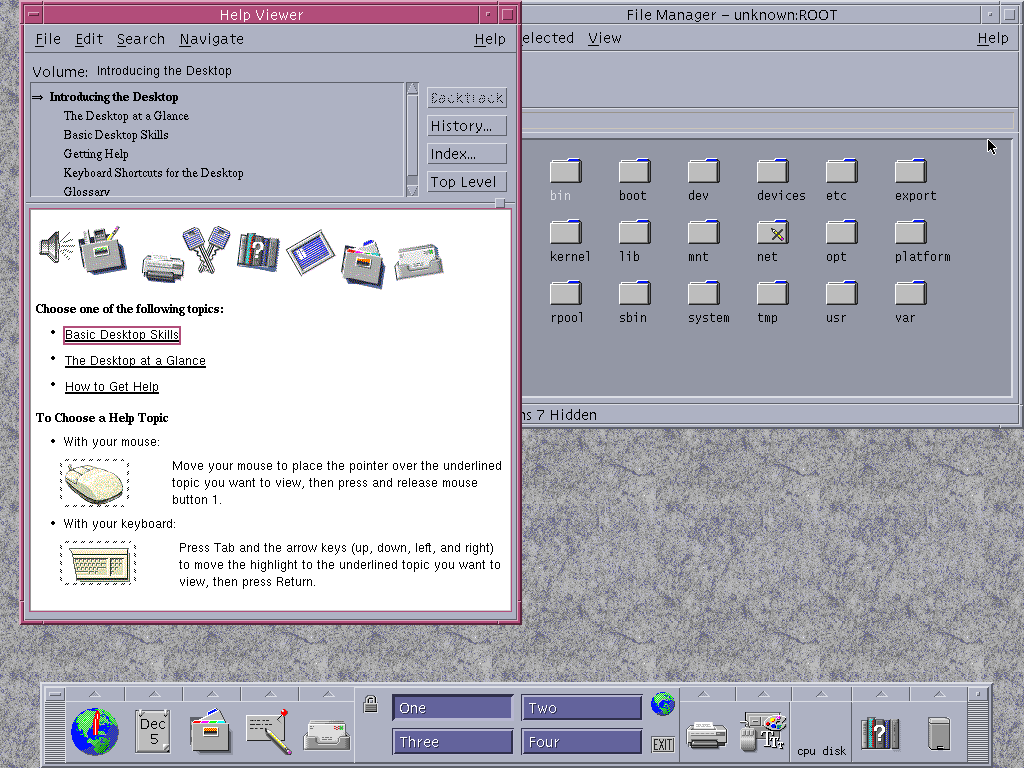
Reference: CDE running on Solaris 10
−



−